
Multi-outlet and time zones
Manage many branches in one account. Each outlet has its own time zone, so reports follow the local date.
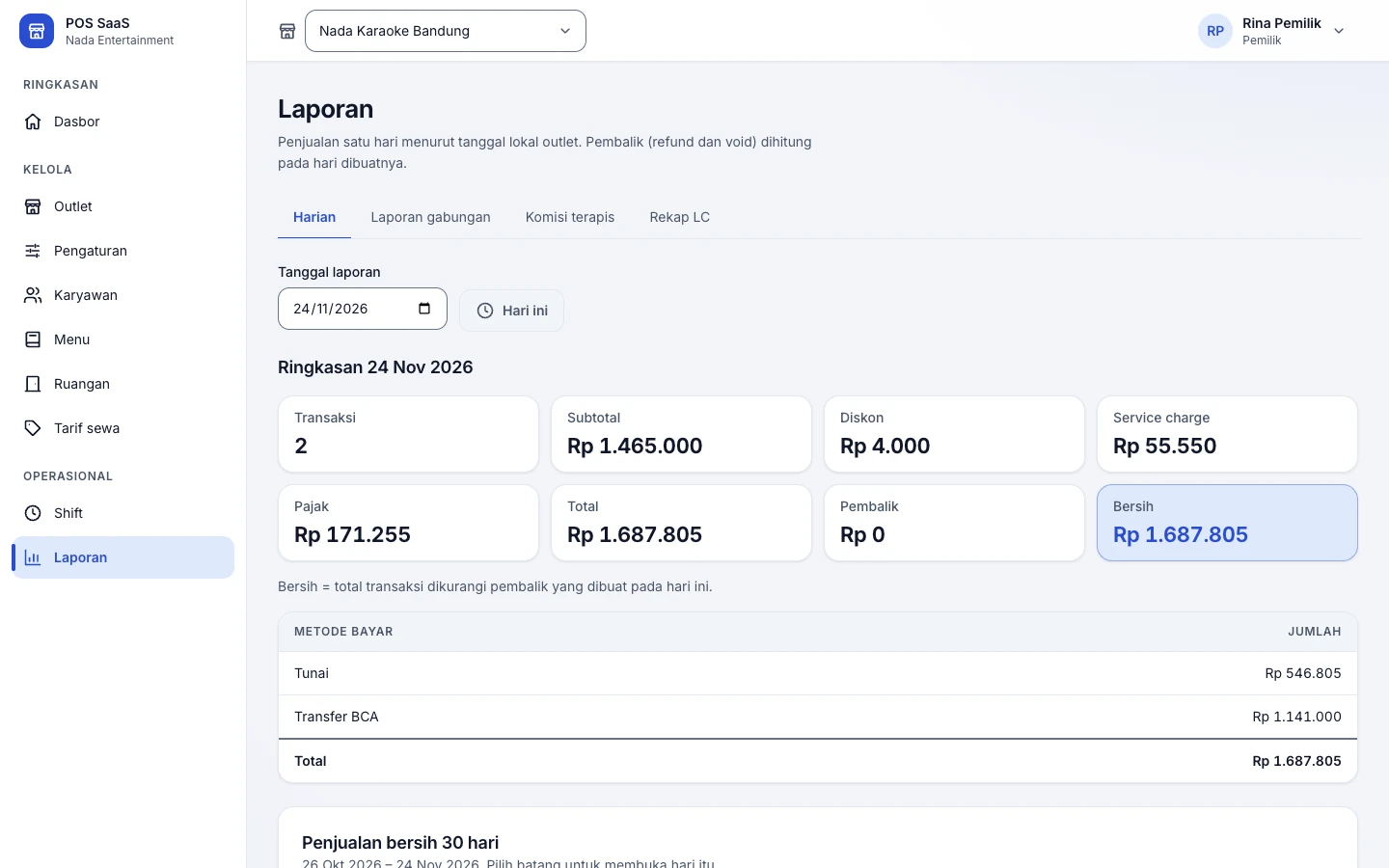
Set up outlets, rates and menu for your karaoke, spa or cafe business in the web app today. Sales reports fill in once the cashier app is available.
Daily and combined reports
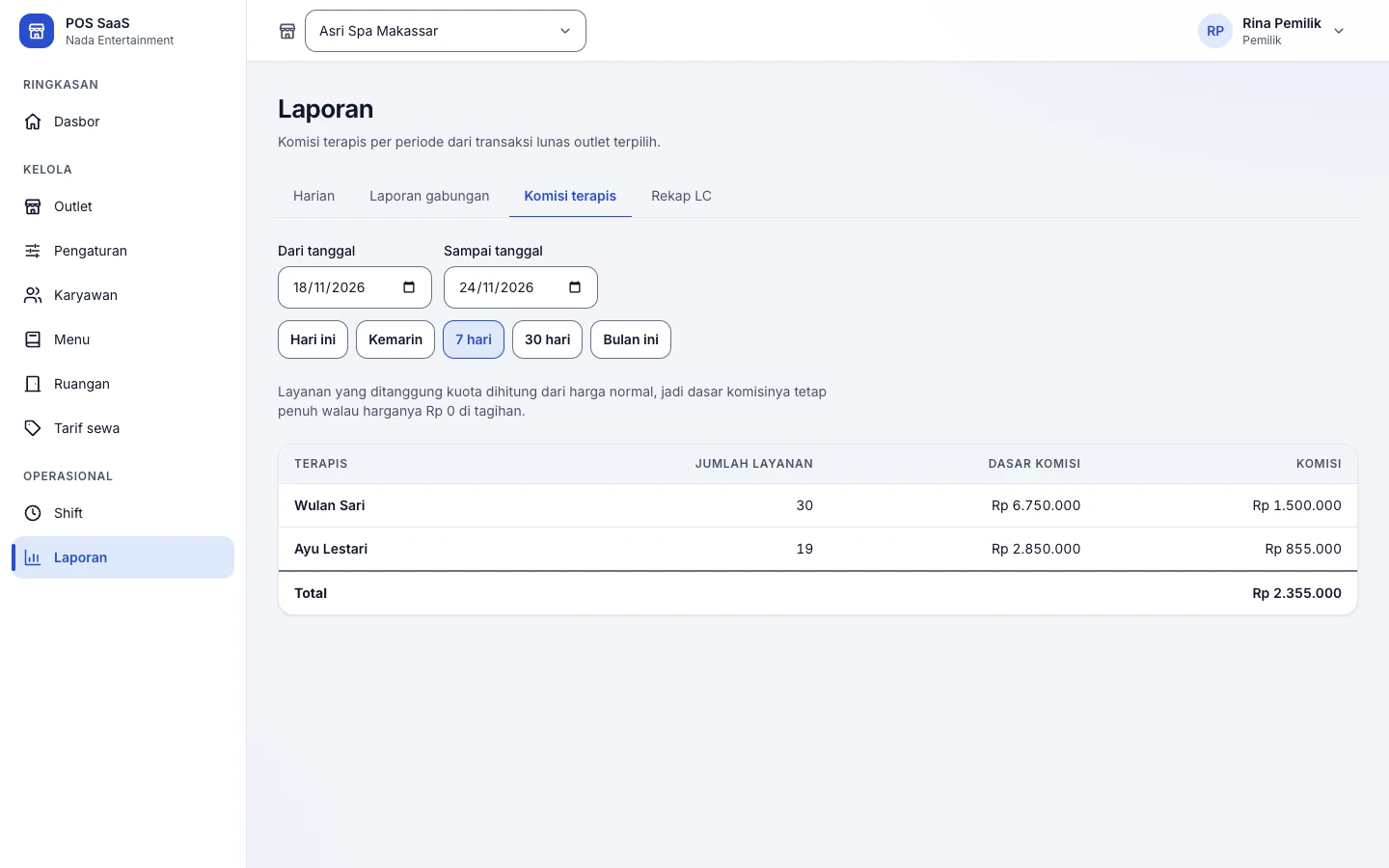
Therapist commission
Asri Spa Makassar, 7 days
Here is how this POS handles them.
The manual way
At the end of every day, each outlet's cash notes are added up by hand.
With this POS
The daily report shows transactions, tax and payments by method, and cash shifts show the difference.
The manual way
Commission is worked out from service notes by hand, which invites mistakes.
With this POS
Commission is calculated from the rules you set and shown per therapist in the period report.
The manual way
Every branch keeps its own notes, so it is hard to see how the whole business is doing.
With this POS
One account for all outlets, with a combined report and a time zone for each outlet.
You can use the setup features in the web app today. Report and cash shift data needs the cashier app.
Manage many branches in one account. Each outlet has its own time zone, so reports follow the local date.
Set commission per service, then see each therapist's base and total commission per period.
Follow cash shifts and see the cash difference for each shift.
One day of sales by the outlet's local date, or all outlets combined in one view.
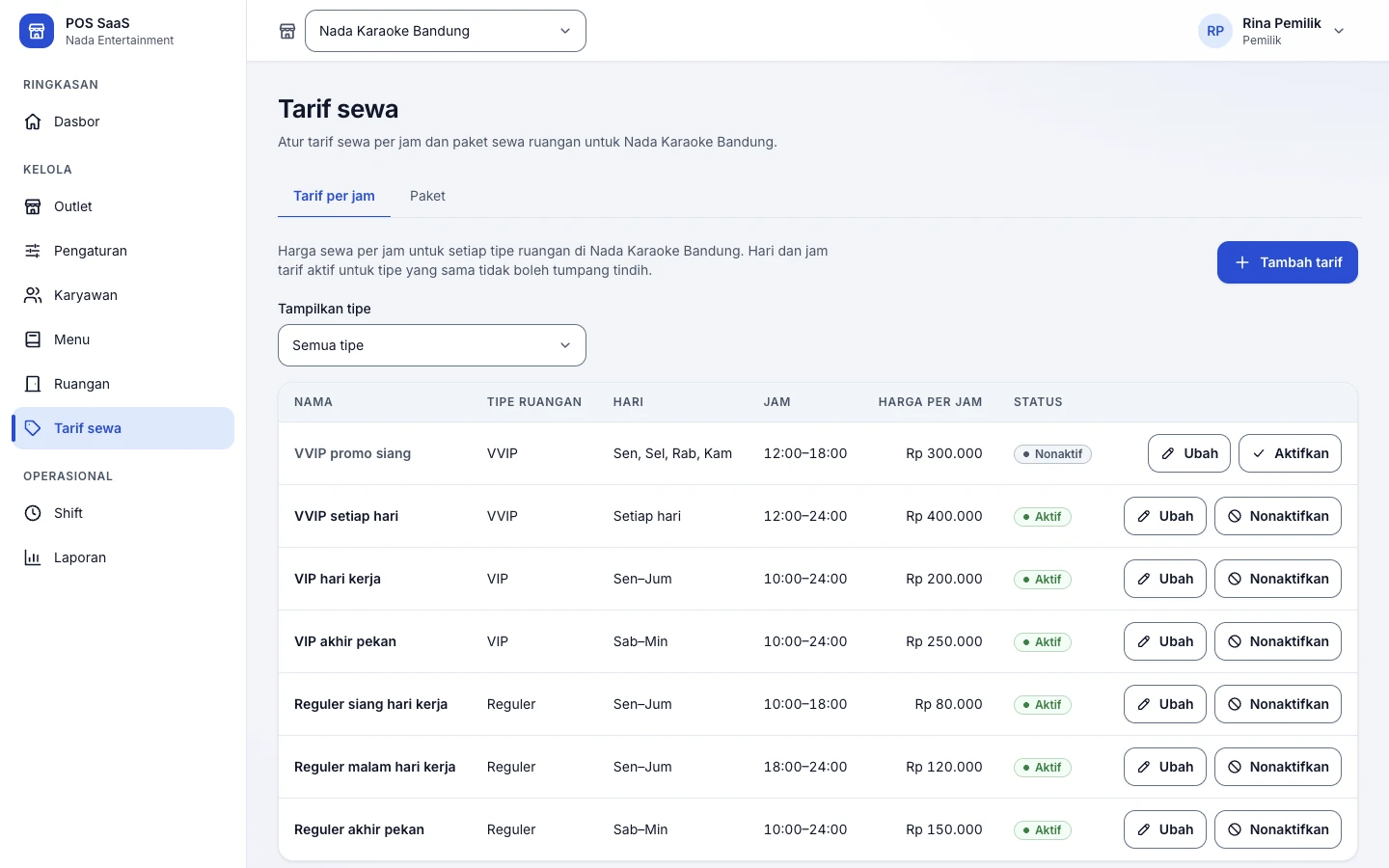
Set hourly rates by room type, day and time of day, plus rental packages.
Not available yet. Sales are recorded in the cashier app, so reports and cash shifts only fill up once that app is available.
Pick a business type to see an example page and what you can set up.
Sign-up and setup happen in the web app.
Create an owner account and start the 14-day trial.
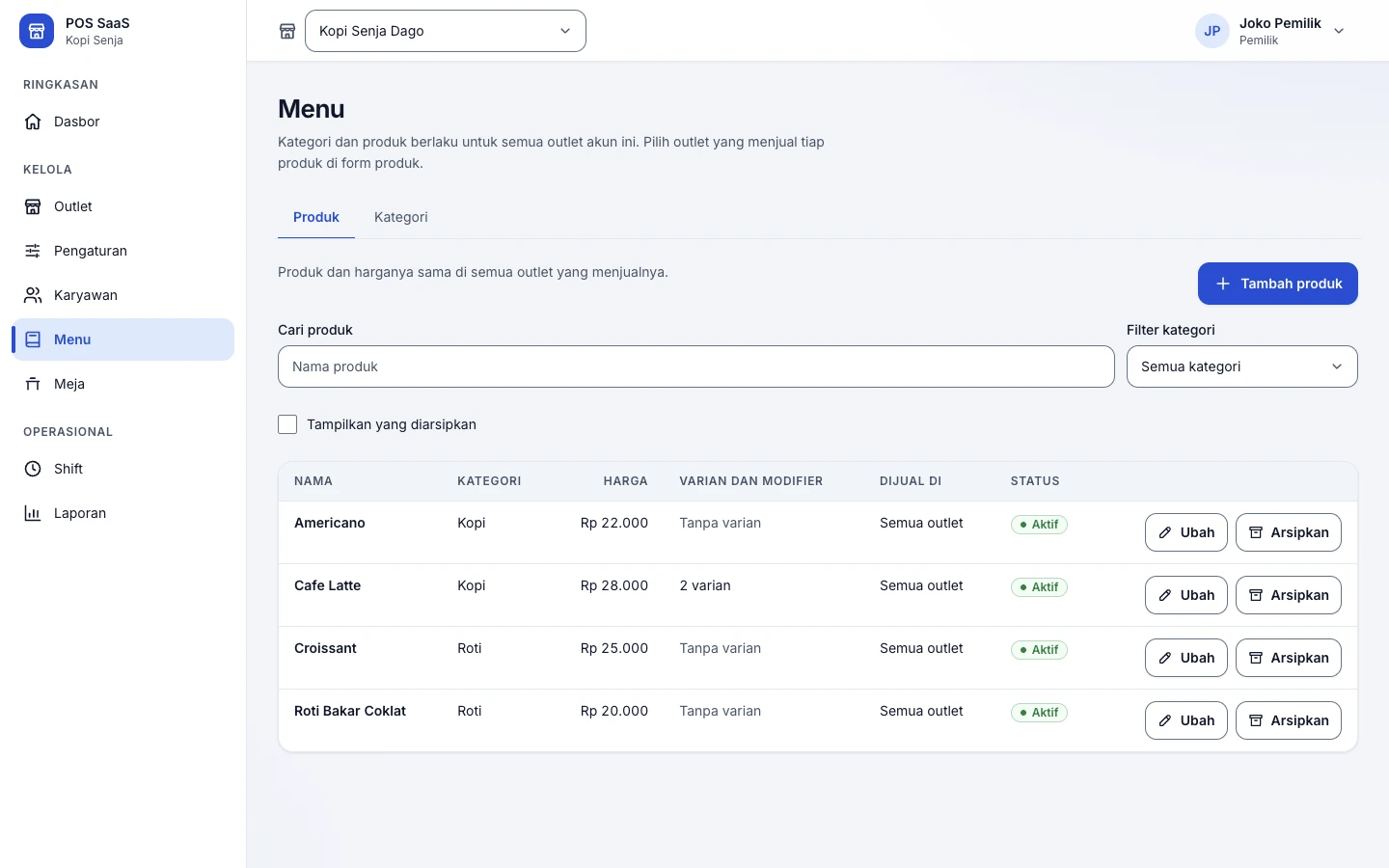
Add outlets, menu items or services, rates and staff in the web app.
The cashier app is coming soon. Once it's available, see daily and combined reports for all outlets.
Start with the 14-day trial, then pick the plan that fits.
Free
for 14 days
Rp99.000
per outlet per month
Rp249.000
per outlet per month
Prices are per outlet per month, so three outlets means three times the plan price.
Including what isn't available yet.
The app is designed to keep each business account's data separate. Staff access is limited by role.
One account can have many outlets, each with its own time zone and settings, plus combined reports. The subscription is counted per outlet.
Today you manage your business in the web app, in a browser. The cashier app for Android and iOS and receipt printing on thermal printers are marked Soon: not available yet. The supported printer models have not been decided.
Yes. The app always needs internet and there is no offline mode. If your venue has weak signal, factor that in before you sign up.
There is no import tool yet. You can enter outlets, menu items or services, rates and staff directly in the web app. Transaction history from your old system cannot be moved over yet.